What's the Buzz?
Fabrication Tools: Styrofoam, Magnets, Pipe Cleaners, Felt, Fake Flowers & items (Pot, Brown Yarn)
Tech Tools: Arduino & Supplies (Breadboard, Wires, etc.), Vibration Sensors, Buzzer, Reed Sensor, LEDs
Created: May 2021
Full link: What's the Buzz? : 8 Steps - Instructables
With What's The Buzz, I really wanted to explore how I can use physical computation with Arduino to produce an educational "toy" for children.
My idea was inspired by my teacher when I was in 6th grade science; my teacher had the students pollinate real flowers using dead bees. This memory has stuck with me up till today, so I became inspired to make a project that was memorable for all who interacted with it.
I created two separate systems that interactive with each other. The bee buzzes, vibrates, and hums similar to what a bee does when the user touches the stinger. I put magnets in the head so that the bee could interact with the flower. When the bee's head gets close to the flower, a reed sensor (a sensor that picks up magnetic fields) communicates with the Arduino board and allows for the LEDs to light up; this "shows" that pollination is happening.
Mouth of a Beast
Fabrication tools: Plastic Container, Felt, Form, Googly Eyes, Cardboard
Tech tools: Arduino & Supplies (Breadboard, Wires, etc.), Touch Sensor, Buzzer, LED, Potentiometer, Button
Created: March 2021
Full Link: Mouth of a Beast : 10 Steps - Instructables
My goal with this project is to create a fun interactive project that especially children can enjoy and recreate if their hearts desire. I wanted to take a regular old plastic container and transform it into a beast and holder for my Arduino.
This project challenged me to learn new interfaces such as using a buzzer, touch sensor, and potentiometer. It also challenged me to really think about physical landscapes and made me realize how important planning is when creating interactive objects; not only for me but also for the audience. I felt that this project was a great way to open up my thinking and challenge me to plan ahead much more than I am used to, from breadboard setup to actual fabrication.
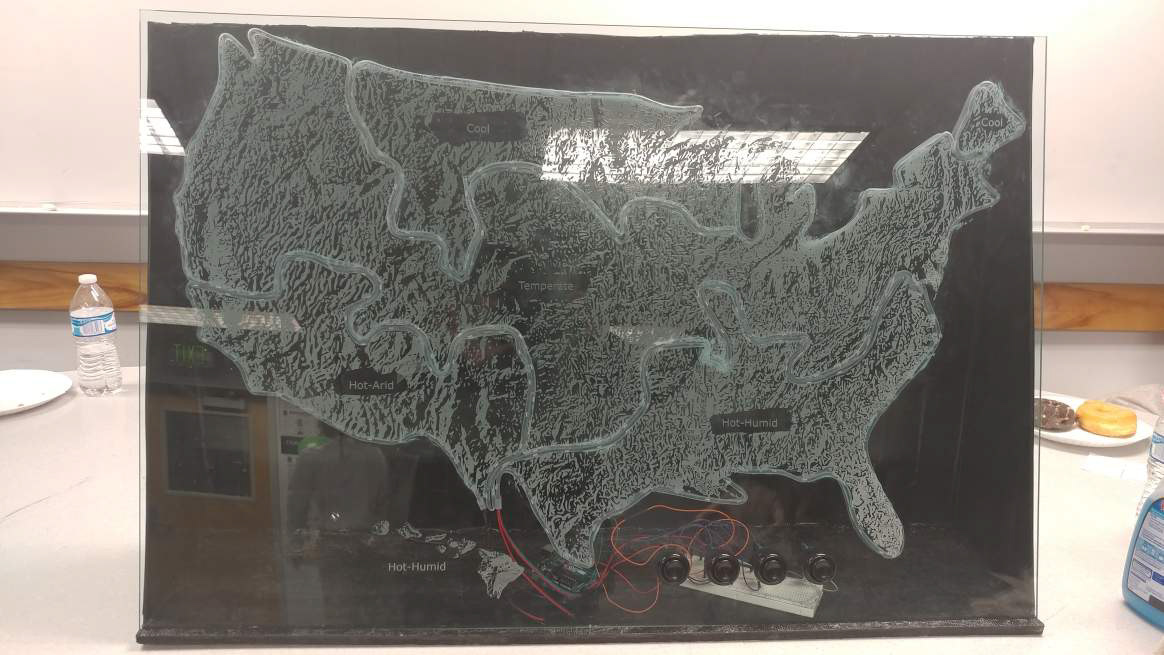
Ryan Elementary Climate Map
Fabrication tools: Acrylic, Wood
Tech tools: Arduino & Supplies (Breadboard, Wires, etc.), LEDs, Buttons, Batteries, Laser cutter
Created: December 2017
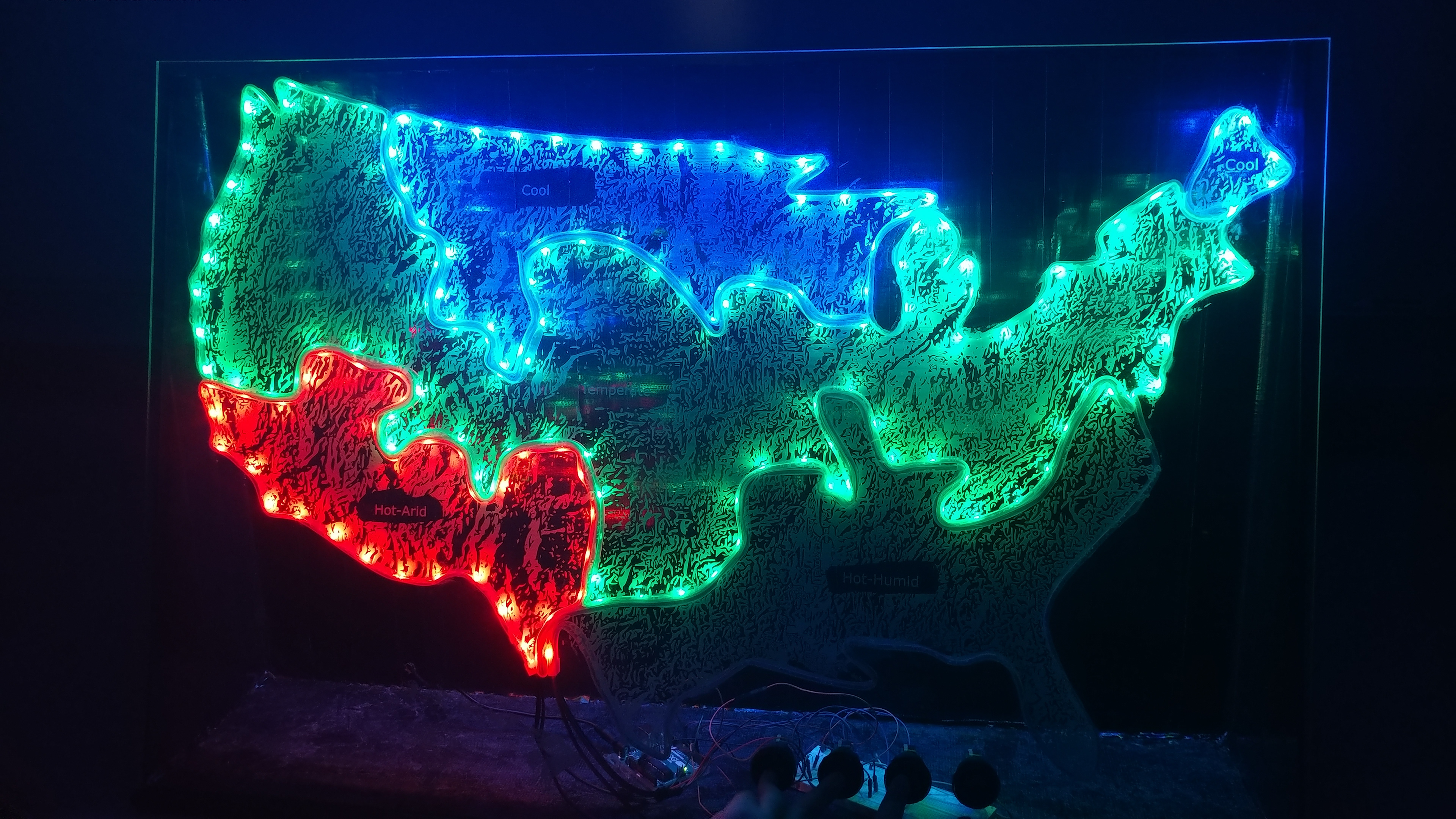
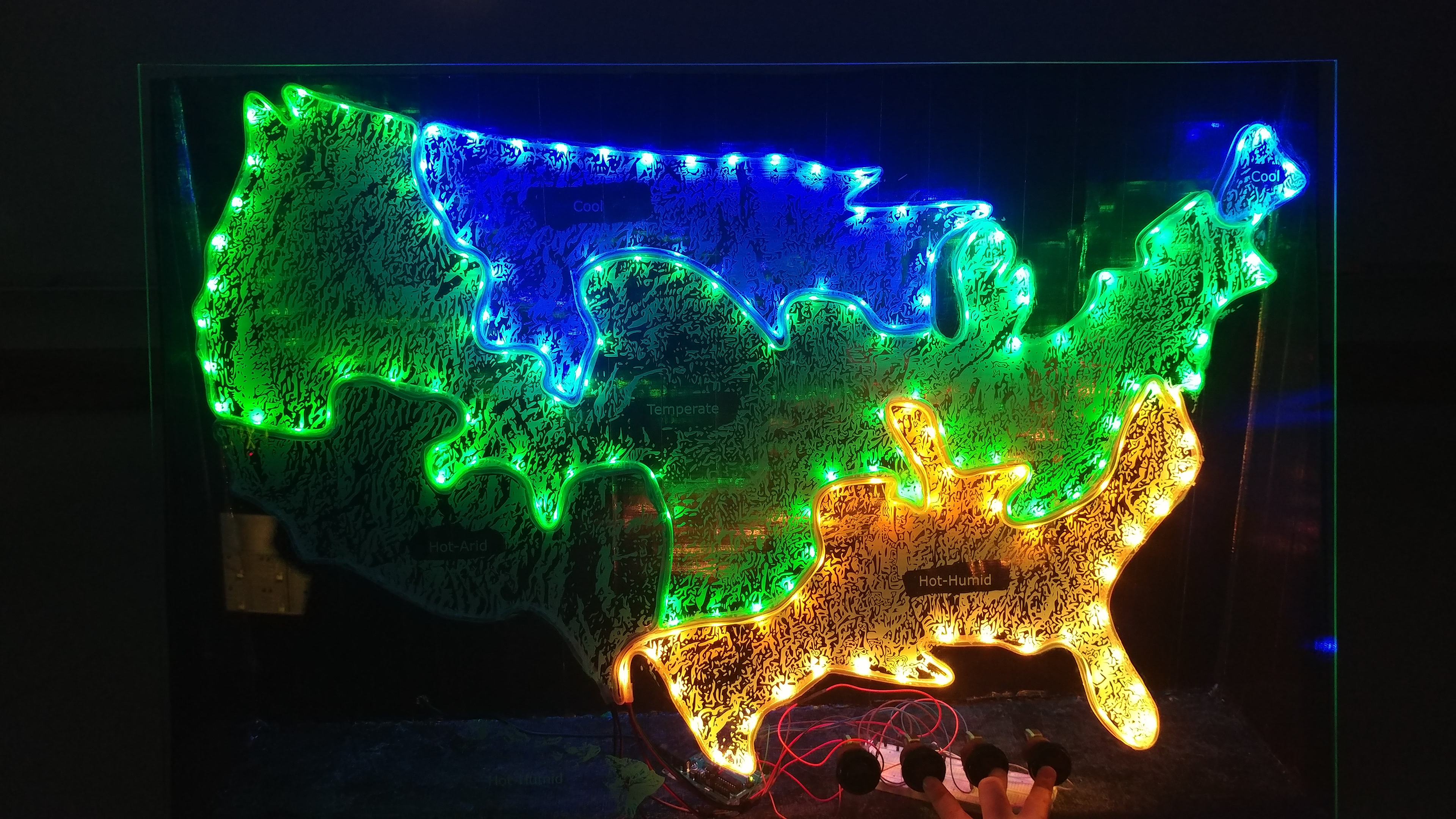
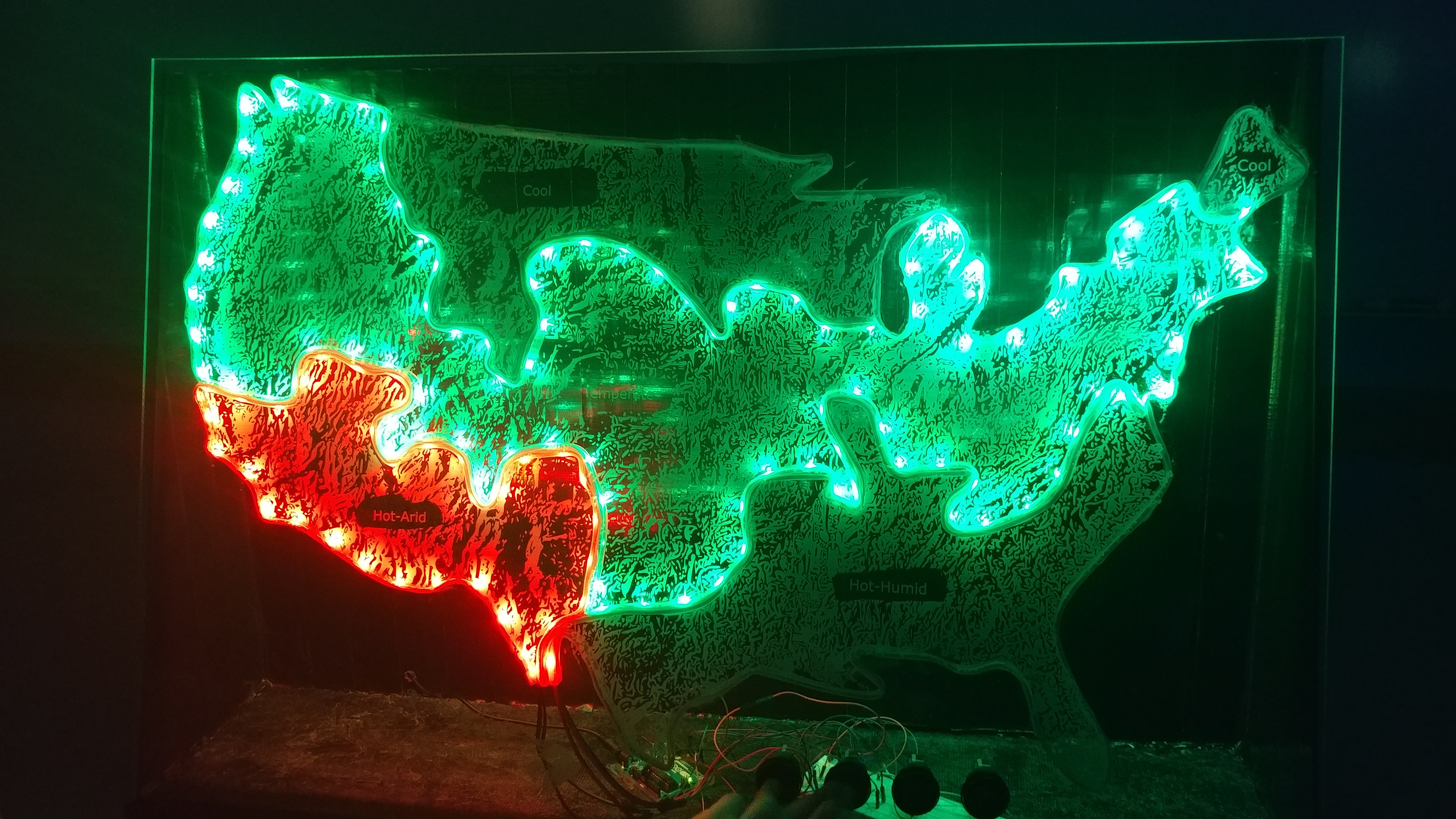
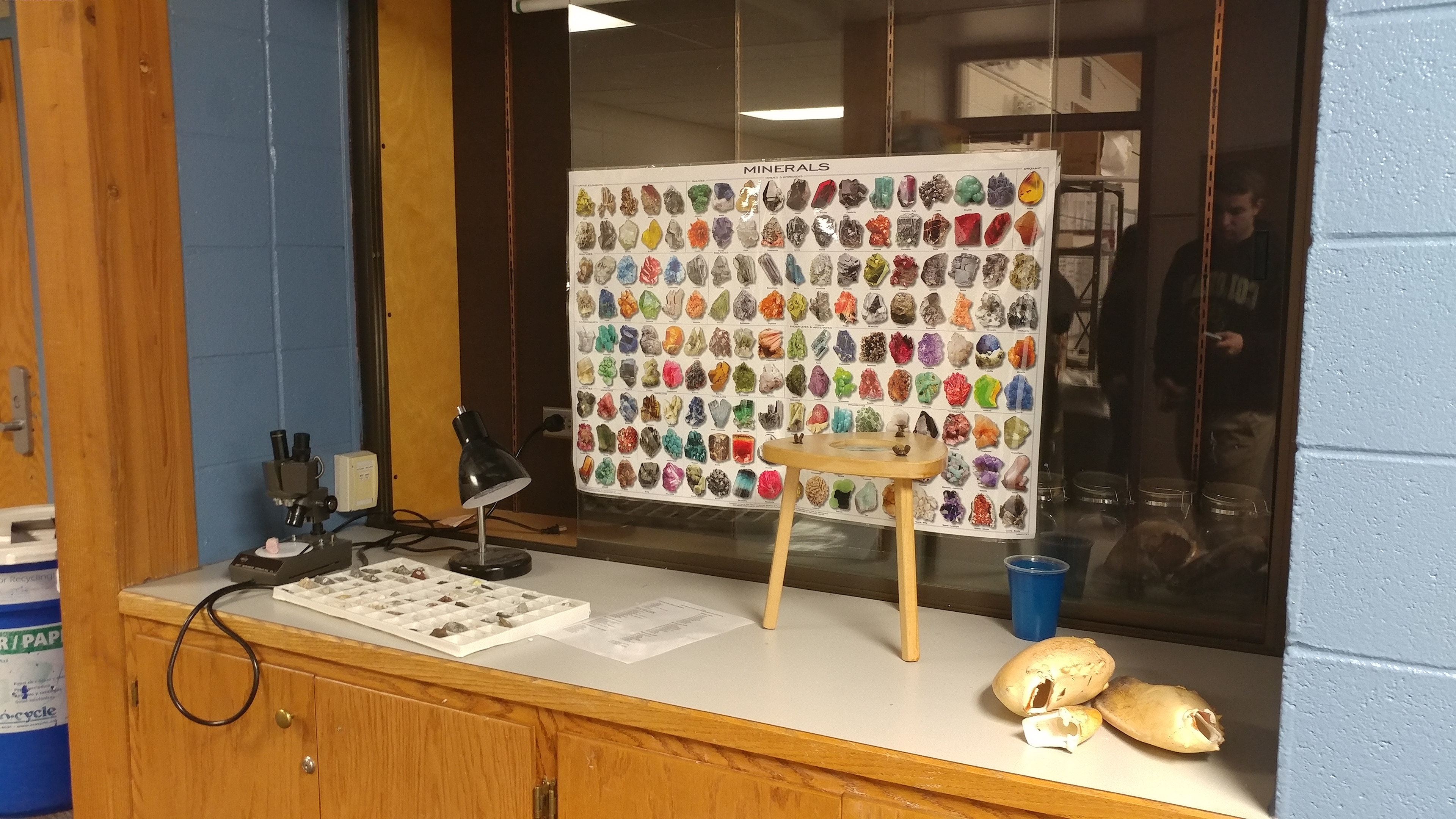
With this project, I was a part of a design group. We were designing for our client Mark Appling at Ryan Elementary School. Mark wanted us to create an interactive learning space that would be intriguing and fun for the students but also serve as educational. We can up with an interactive climate map.
This project challenged our abilities to create a large-scale LED circuit that interacted with 4 separate buttons. In addition, we had to learn laser cutting software and how to set up such a map so that it would print well and be impactful.
I feel that this project really opened up my interest in STEAM education and creating physical computations that could serve a variety of purposes from entertainment to learning.